


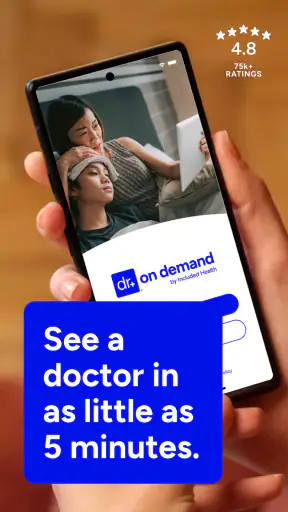
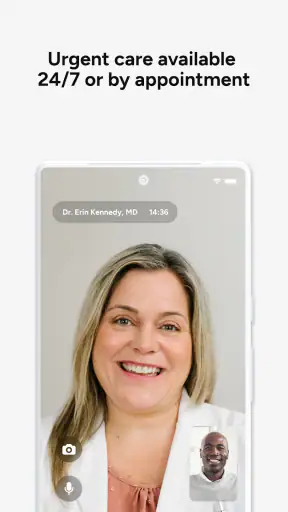
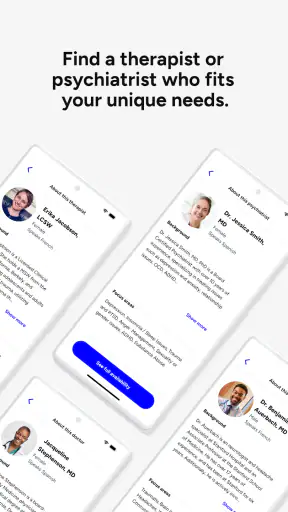
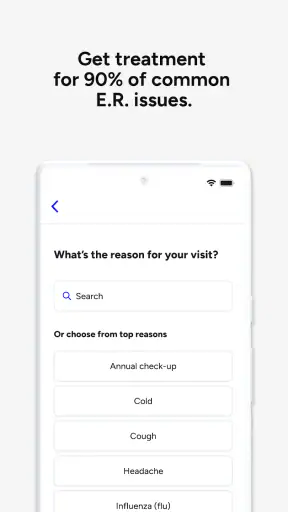
Getting medical help from a phone sounds simple until the moment you actually need it. That is where Doctor On Demand earns its place: it is a free medical app from Doctor On Demand, Inc that brings online doctors, therapy, and urgent-care consultations into one mobile experience. I found the idea especially useful for situations that feel important but do not clearly justify sitting in a waiting room.
My overall impression is positive, but this is not an app that removes every part of healthcare friction. You still need a suitable device, a reasonably reliable connection, accurate health information, and enough time to complete the consultation properly. The app can make access more convenient; it cannot turn a serious emergency into a routine video visit or replace a clinician who already knows your medical history.
Where people usually get stuck before the visit
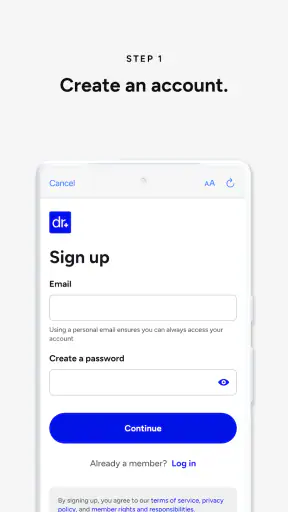
The biggest mistake is opening the app only when symptoms are already stressful and expecting the first screen to explain everything. A telehealth visit has several moving parts: account access, personal details, the reason for the appointment, device readiness, and deciding whether online care is appropriate. When one of those steps is rushed, users often blame the app for a problem that began earlier.
I recommend treating the first use as a short setup task rather than an emergency task. Install it while you are well, look through the available care paths, and become familiar with where a consultation begins. That small preparation matters because a person with a sore throat, a rash, or a worrying but non-urgent symptom does not want to make decisions while distracted by login confusion.
The app is aimed at general medical care, therapy, and urgent-care situations, so the right route depends on what you need. A therapy conversation is not the same as a sudden minor illness, and neither is suitable for a life-threatening event. The convenience of a phone should not encourage you to delay emergency services when symptoms are severe, rapidly worsening, or potentially dangerous.
Another common sticking point is expecting an online clinician to perform the same examination as an in-person doctor. A camera can show some visible signs, and a conversation can clarify symptoms, but it cannot provide every physical check or test. If the clinician decides you need hands-on assessment, laboratory work, imaging, or another form of in-person care, that is not a failure of the app. It is a limit of remote medicine.
The most useful mindset is to see Doctor On Demand as a front door to professional guidance, not as an automatic diagnosis machine. That distinction helps set realistic expectations before you start a visit and makes it easier to follow the clinician’s next-step advice.
What I would prepare before opening it
I would keep a short symptom timeline nearby: when the problem started, whether it is improving, what makes it worse, and anything already tried. A list of current medicines, allergies, relevant conditions, and recent measurements can also make the conversation more precise. This is particularly helpful when you are speaking from home and do not have a familiar clinic’s chart in front of you.
For a therapy appointment, I would choose a private place and avoid multitasking. A consultation may be technically possible from a noisy room, but privacy and attention affect the quality of the conversation. For urgent care, I would make sure the person seeking help is available for the entire interaction rather than starting while driving, shopping, or looking after a distraction that cannot be paused.
Setup checks that prevent avoidable trouble
Doctor On Demand is a free app in the Medical category, with an Everyone age rating. It has been available since October 7, 2013, and the current version is 2026.34.3 for operating systems version 10 or later. Those details are worth checking before installation, especially if you use an older phone or keep software updates deliberately limited.
The app’s popularity is reassuring without being a guarantee that every visit will feel effortless. It has a 4.9 average from around 89 thousand ratings and more than a million installs. I read that as evidence that many people find the service useful, not as proof that it will suit every location, device, symptom, or appointment situation.
Before a first consultation, I would check four practical things:
- Device readiness: use a phone that can run the app comfortably and keep its operating system within the supported range.
- Connection quality: choose a place where the signal is stable rather than relying on a weak connection from a moving vehicle or crowded building.
- Conversation privacy: use headphones if appropriate and position yourself where personal medical details cannot be overheard.
- Information accuracy: review the details you enter so the clinician is not working from an avoidable spelling error, outdated medicine list, or incomplete description.
I would also restart the phone before an important appointment if it has been running poorly. That is basic advice, but it can clear temporary issues without changing any health information. If the app behaves strangely, closing it completely and reopening it is a sensible first step. I would avoid repeatedly tapping the appointment button while a screen is loading, since impatient retries can make it harder to tell whether the original action worked.
Notifications and device settings deserve attention too. If you are expecting an appointment reminder or a prompt to return to a visit, a quiet mode, restricted background activity, or an interrupted network can make the experience seem broken. I would check that the phone is not silencing alerts at the scheduled time and would keep the app available rather than switching between many demanding apps immediately before the consultation.
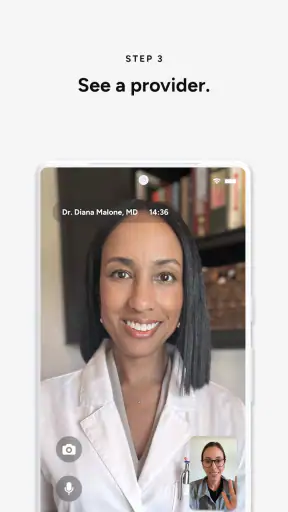
A useful but easily missed preparation is lighting. If a clinician needs to see a visible symptom, face a light source instead of sitting with a bright window behind you. This does not replace an examination, but it can make a video conversation less frustrating. Keep the camera at eye level, and avoid placing the phone where every movement shakes the image.
How to recover when a visit does not go smoothly
If the video freezes, I would first stop speaking for a moment and see whether the connection recovers. If it does not, I would move closer to a stronger signal, pause other heavy network activity, and reopen the app only after noting what was happening. Switching repeatedly between Wi-Fi and mobile data can sometimes create more confusion, so I would change one thing at a time.
If the app closes, I would relaunch it and look for the existing visit or appointment rather than immediately starting a second request. The important principle is to preserve the original context. Starting over can create uncertainty about whether a clinician is still expecting you, whether information has already been submitted, or whether you are entering a duplicate workflow.
When a login problem appears, I would check the obvious details first: the correct account, a stable connection, and whether the phone’s date and time are behaving normally. I would not share passwords or sensitive medical details with someone offering unofficial technical help. If the problem remains, use the app’s own support route or the official service channel rather than relying on random advice from a forum.
For a consultation that ends unexpectedly, write down the approximate point at which it stopped and any instruction you had already received. That gives support staff or the clinician a clearer starting point than simply saying that the app failed. If symptoms are worsening while you wait, prioritize appropriate medical care rather than spending a long time troubleshooting the screen.
There is also a human workflow issue. A clinician may ask follow-up questions that require you to find a medicine package, check a temperature, or describe a symptom in more detail. Have those items nearby before the visit. Being prepared reduces the temptation to leave the camera, lose the connection, or rush an answer that could affect the advice you receive.
When the app is not the real cause
Not every disappointing result comes from software. A poor consultation can reflect an incomplete symptom history, an unsuitable environment, a communication barrier, or a medical issue that simply needs in-person evaluation. It is easy to conclude that online care “did not work” when the real problem is that the chosen format could not answer the question safely.
Doctor On Demand is a strong option when the main value is access and convenience: you want to discuss a non-emergency concern, seek guidance about a common health problem, or talk with a therapist without arranging a traditional office visit first. It can also be useful when travel, mobility, work hours, or distance makes a normal appointment difficult.
I would choose a regular primary-care relationship instead when continuity is the priority. A clinician who knows your history can notice patterns that are difficult to explain during a single remote encounter. For recurring symptoms, long-term treatment decisions, preventive care, or complicated conditions, an established practice may offer better coordination than repeatedly starting a new online conversation.
I would choose an in-person clinic when examination or testing is central to the problem. A camera cannot substitute for every physical assessment, and a remote clinician may reasonably direct you elsewhere. That extra step can feel inconvenient, but it is safer than forcing a digital appointment to answer a question it cannot handle.
For a medical emergency, I would not open this app as my first response. Severe breathing trouble, signs of a stroke, serious chest pain, major bleeding, loss of consciousness, or another immediately dangerous situation calls for emergency services. The app belongs in the space between “I need professional advice” and “I need emergency intervention now,” not in place of urgent rescue care.
Compared with calling a clinic, the app may reduce waiting-room travel and make a conversation easier to arrange from home. Compared with searching the web, it offers access to a real healthcare professional rather than a pile of possibilities that can increase anxiety. Compared with a long-term doctor, though, it may provide less continuity. That trade-off is the central decision: convenience and access versus the depth of an ongoing care relationship.
Small habits that make the service more useful
I would use the first consultation to clarify what happens next, not just to obtain a quick answer. Ask what changes should prompt follow-up, whether an in-person visit is needed, and which symptoms would make the situation more urgent. Writing those instructions down immediately is more reliable than trusting memory, especially after a stressful conversation.
Another practical habit is to describe the problem in order rather than presenting every detail at once. Start with the main concern, give the timeline, mention relevant conditions and medicines, and then add changes or warning signs. This structure helps the clinician identify what matters without making you feel that you need medical vocabulary.
For therapy, consistency may matter more than the novelty of using an app. Choose a setting where you can speak honestly, protect the time from interruptions, and consider whether remote conversation genuinely helps you engage. If privacy at home is impossible, an online appointment may be less suitable even though the technology itself works.
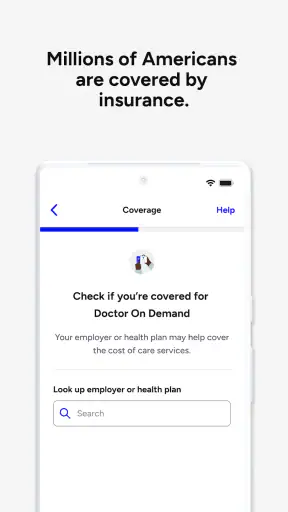
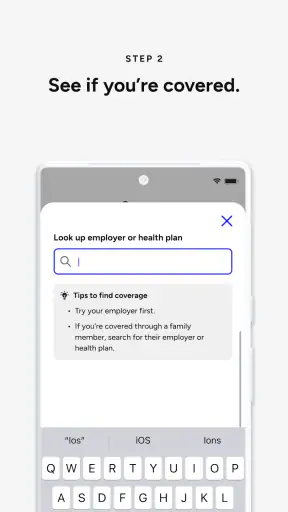
I also appreciate that the app is free to install, but I would not confuse installation cost with the total financial arrangement of care. Before committing to a visit, review the options and payment or coverage details presented in the service itself. Healthcare costs can depend on circumstances outside the app, so this is one area where careful reading is more useful than assuming “free” means every consultation has no charge.
Doctor On Demand has the maturity of a service that has been around for years, while its current version shows that the app continues to be maintained. Still, updates can introduce interface changes, and a familiar path may move after an update. If an option seems to disappear, I would first look through the current appointment and account areas rather than assuming that the service has removed the underlying kind of care.
My practical verdict after weighing convenience against limits
I would recommend Doctor On Demand to someone who wants a straightforward way to reach online doctors, therapy, or urgent care for a situation that is appropriate for remote discussion. Its strongest quality is not that it makes healthcare effortless; it is that it lowers the practical barrier between a question and professional guidance. The free download, Everyone rating, broad medical focus, and strong user response make it approachable for many people.
I would not recommend relying on it as the only healthcare option. Keep a primary-care relationship when continuity matters, use an in-person service when examination or testing is important, and contact emergency services for dangerous symptoms. The app works best as part of a sensible care plan rather than as a replacement for every other route.
My final advice is simple: install it before you need it, check compatibility, prepare your health information, choose a private and well-connected place, and know the difference between a remote-care question and an emergency. With those expectations, Doctor On Demand feels like a practical tool rather than a promise that technology can solve every medical problem. I would keep it available for convenient professional guidance, while still choosing the traditional alternative whenever the situation calls for continuity, testing, or hands-on care.


